Mudfish Forum
기술 지원
 fhvugcfuhjvc
8 year ago
-
$ `lsb_release -a` 가 `Ubuntu` 가 아닌가요?
-
fhvugcfuhjvc
8 year ago확인해보니까 Ubuntu로 나옵니다.혹시 x86 프로세서에서만 작동하고 ARM에서는 작동하지 않는건가요?

-
primoitt
8 year agoHi, same here. Plz tell me how to install it on an ARM 32bit Ubuntu. lsb_release -a No LSB modules are available. Distributor ID: Ubuntu Description: Ubuntu 16.04 LTS Release: 16.04 Codename: xenial lscpu Architecture: armv7l Byte Order: Little Endian Model name: ARMv7 Processor rev 5 (v7l) CPU min MHz: 408.0000 CPU max MHz: 1200.0000

-
8 year agolsb_release -a No LSB modules are available. Distributor ID: Ubuntu Description: Ubuntu 18.04.1 LTS Release: 18.04 Codename: bionic ------------------------- lscpu Architecture: armv7l Byte Order: Little Endian Model name: Cortex-A7 CPU max MHz: 2000.0000 CPU min MHz: 200.0000 ------------------------- install step $ wget https://mudfish.net/download?filename=mudfish-4.5.1-linux-x86_64.sh $ sudo sh mudfish-4.5.1-linux-x86_64.sh $ ls -l /opt/mudfish/4.5.1/bin/ ------------------------- but i don't know why mudfish not working. $ sudo /opt/mudfish/4.5.1/bin/mudrun i entered the above into the linux terminal, but I get an error i think my error's reason is language crash(korean/english) or cpu architecture(x86/arm)
-
8 year agoHi again. I found this packages ipk for ARM. Can you convert them to deb? https://mudfish.net/releases/openwrt/packages-18.06/arm_cortex-a7_neon-vfpv4/base/
-
8 year agoI can do that request, but I can not use Linux terminal well So you have to tell me how to enter
-
8 year agoHi! I'm asking for help too. I cannot convert it by myself. Need to request techical support for this task.
-
8 year agoI will ask how to install it in a community I know. however, as far as I know, * .ipk is an installation file for the android os. so I'm not sure I can install this program.
-
8 year agoYes, but its a package for Openwrt. Android packages are *.apk not *.ipk. Openwrt is a linux based os for routers. I think it's possible to convert them. I wonder if any mudfish's support can answer our topic.
-
 weongyo
(Forums Admin)
weongyo
(Forums Admin)
8 year agoFirst thank you for interesting to Mudfish. Yesterday I'd ordered one ODROID device so when it's shipped I'll try to build a package for it. :-) I hope at next week it'll be available to use.
-
8 year ago@weongyo thx for support us!! Waiting here anxious
-
 kwangseok
8 year ago@primoitt It'll good to help if you let us know what message shows while installing the package with `adb install`
-
8 year ago@primoitt sry, now I installed Android(deleted linux). if I failed install/run mudfish on Android, I will reinstall mudfish on linux
-
8 year ago@kwangseok adb install? I'm not on Android. My OS is an Ubuntu 16.04 using an ARM7 32bits processor.
-
8 year ago@fhvugcfuhjvc Nice. You still can install Linux on Android using Linux Deploy app.
-
kwangseok
8 year agoPlease test a following new build https://mudfish.net/releases/mudfish-4.5.3-linux-armv7l.sh
-
8 year ago@kwangseok thx for new build. Packages install was successful. But I cannot access the webserver on my server's ip http://192.168.50.10:8282 I think its because mudfish is host on 127.0.0.1:8282 not on 0.0.0.0:8282. Here some results: $ netstat -tupan Active Internet connections (servers and established) Proto Recv-Q Send-Q Local Address Foreign Address State PID/Program name tcp 0 0 0.0.0.0:80 0.0.0.0:* LISTEN 2576/lighttpd tcp 0 0 0.0.0.0:51413 0.0.0.0:* LISTEN 3350/transmission-d tcp 0 0 0.0.0.0:22 0.0.0.0:* LISTEN 2522/sshd tcp 0 0 127.0.0.1:8282 0.0.0.0:* LISTEN 16285/mudrun tcp 0 0 0.0.0.0:9091 0.0.0.0:* LISTEN 3350/transmission-d tcp 0 0 127.0.0.1:3306 0.0.0.0:* LISTEN 2979/mysqld $ telnet 127.0.0.1 8282 Trying 127.0.0.1... Connected to 127.0.0.1. Escape character is '^]'. $ telnet 192.168.50.10 8282 Trying 192.168.50.10... telnet: Unable to connect to remote host: Connection refused Is it possible to change access from 127.0.0.1:8282 to 0.0.0.0:8282?
-
kwangseok
8 year agoWe're re-build it up so please download and install again then run it with `-a` option.
-
8 year agoHi again! I tryed but does not worked. ./mudrun -a illegal option -- a usage:
-
kwangseok
8 year agoFound and fixed Segmentation Fault so please check https://mudfish.net/releases/mudfish-4.5.3-linux-armv7l.sh and install again then run with > :/opt/mudfish/4.5.3/bin$ ./mudrun -a `0.0.0.0`
-
8 year agoHi! It's me again. Works great with new script!! Thank you so much
-
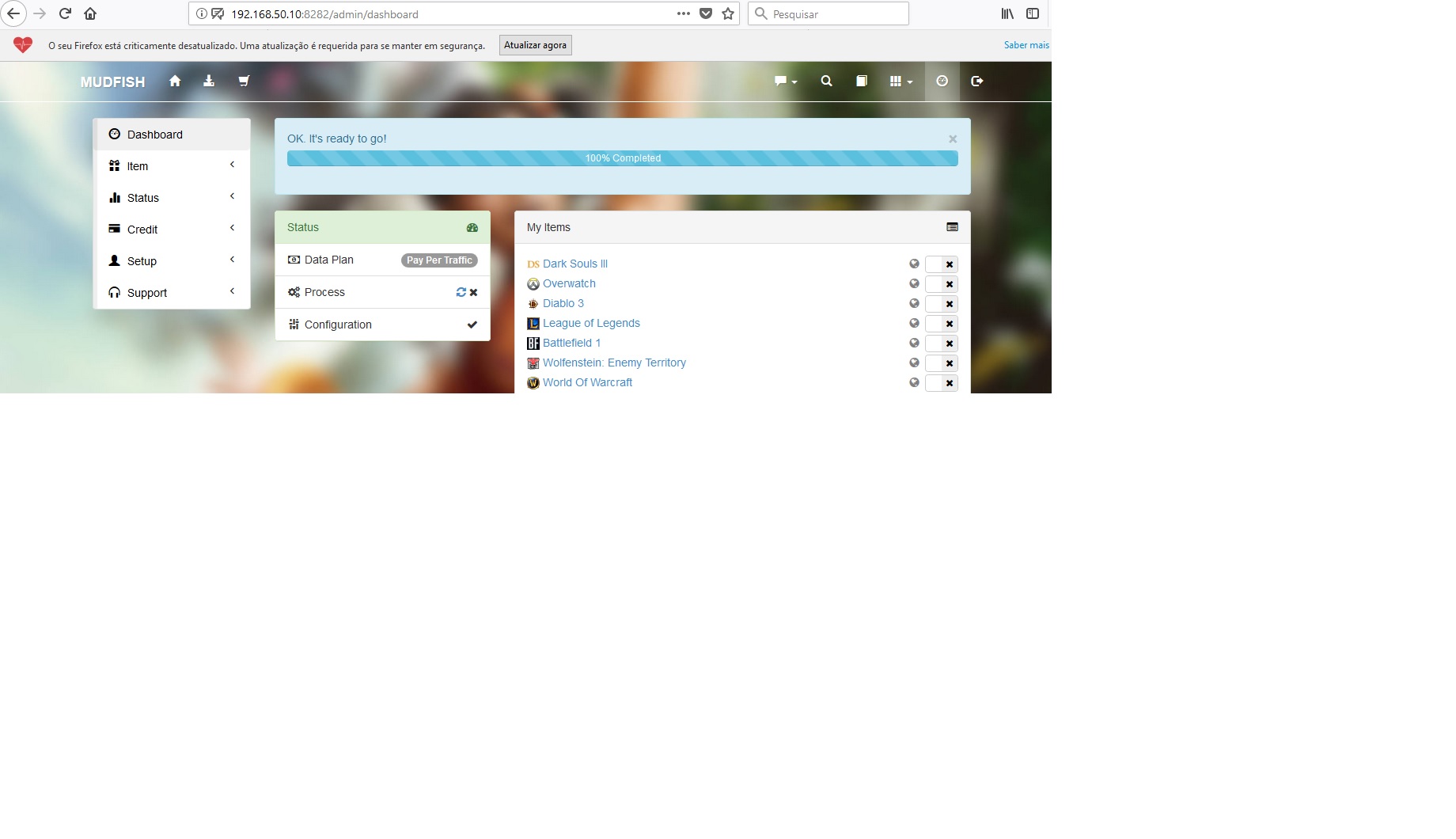
8 year agoHere my results:
-
kwangseok
8 year agoPlease check basic functionality
-
8 year ago@kwangseok Hi there. When I try to equip What`s my ip item mudfish stops and terminal give me this: $ ./mudrun -a 0.0.0.0 Segmentation fault
-
kwangseok
8 year agoPlease check `md5sum mudfish-4.5.3-linux-armv7l.sh` is printing `9f41bd4c52799badeac2f00db389e16c` then download the file again if your checksum is wrong.
-
8 year agoSame here $ md5sum mudfish-4.5.3-linux-armv7l.sh 9f41bd4c52799badeac2f00db389e16c mudfish-4.5.3-linux-armv7l.sh Any suggestions?
-
weongyo
(Forums Admin)
8 year ago> $ ./mudrun -a 0.0.0.0 > Segmentation fault Is this SEGFAULT happening just after run `mudrun` command? or after some minutes later? I'd bumped the version to v4.5.4. Please try to test with https://mudfish.net/releases/mudfish-4.5.4-linux-armv7l.sh link when you get a chance.
-
8 year agoHi there! I'm still alive here! :D It's happening after some minutes. Just after equip an item on webserver.
-
8 year agoTested version 4.5.4 and happened the same..
root@localhost:/opt/mudfish/4.5.4/bin# ./mudrun -a 0.0.0.0
Segmentation fault
Ps: I cannot find whats my ip on item -> equip -> Site
-
kwangseok
8 year agoPlease give it a try to other version with https://mudfish.net/releases/mudfish-4.6.1-linux-armv7l.sh
-
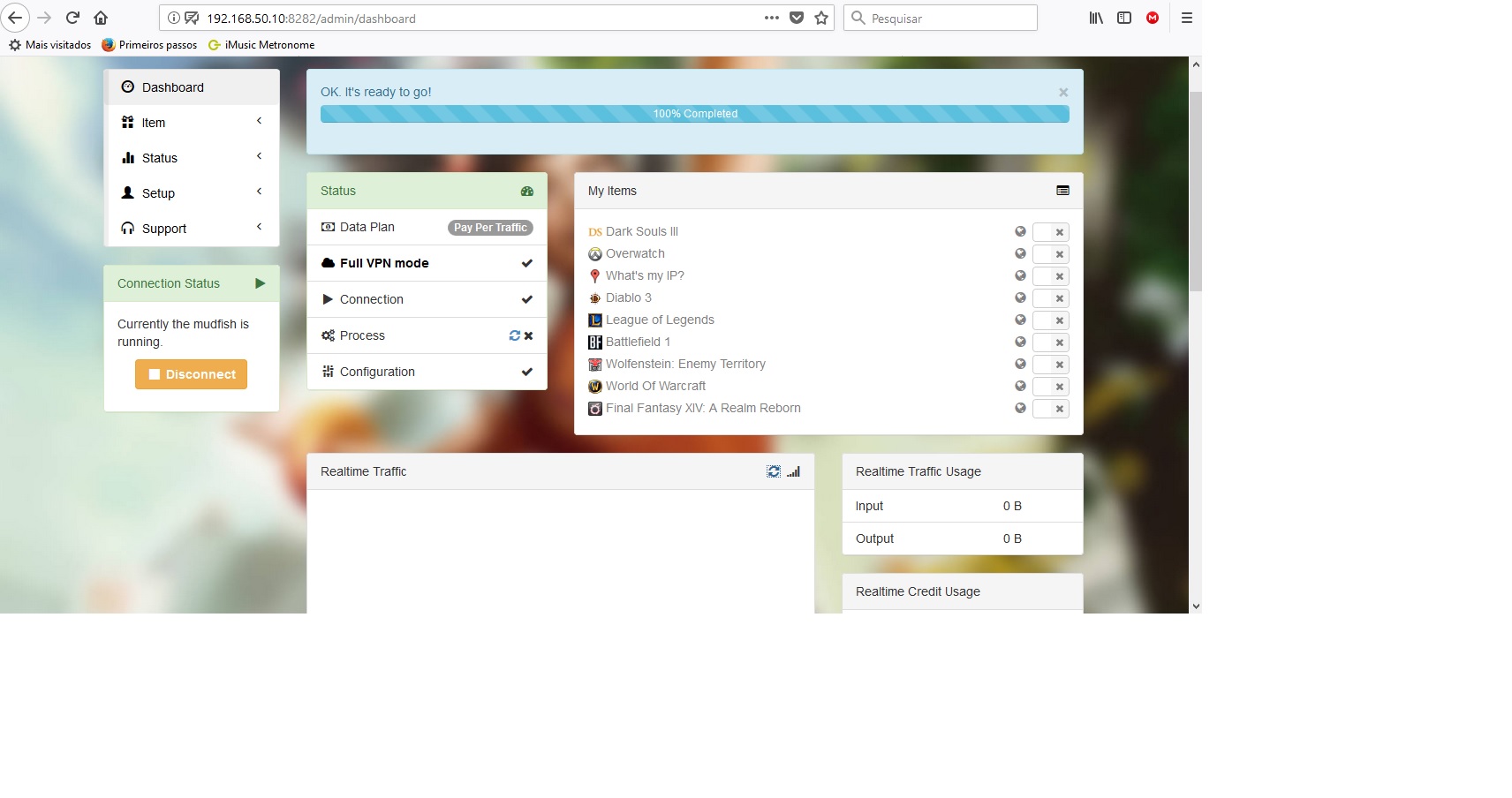
8 year agoHi there! Looks like ok but i think my ip doenst change it all
Current
2804:14c:6583:41b7:8c90:77ff:fe36:1f26
After
2804:14c:6583:41b7:8c90:77ff:fe36:1f26
Somehow give me this message on mudfish's web:
Error
Mon, 15 Jul 2019 13:24:24 GMT [2.864687] [CRIT] Assert ((odr_defaultGatewayStr) != 0) failed at ODR_AddSNodeToRoutingTable (./mud/os/linux/syscalls.c:1940) with 0
-
weongyo
(Forums Admin)
8 year agoOh my god...... :-( You're under IPv6 only network? If then you're first IPv6 customer. But definitely mudfish will be failed because it's not supporting IPv6 yet. If you can use IPv4 network to the public area, please try to use it.
-
8 year agoOk! I think it`s an Ubuntu network configuration. My public ip is not ipv6
-
8 year agoHi there!
Ipv6 disabled on Ubuntu and now my public ip is ok.
# wget -qO- http://icanhazip.com
189.xx.118.xxx
I've confirmed that mudfish is not working here
This appears again on webconsole
Error
Wed, 17 Jul 2019 13:12:37 GMT [2.636411] [CRIT] Assert ((odr_defaultGatewayStr) != 0) failed at ODR_AddSNodeToRoutingTable (./mud/os/linux/syscalls.c:1940) with 0
I've installed lynx and test on https://myip.mudfish.net and my ip doesnt change for sure.
# lynx https://myip.mudfish.net
189.xx.118.xxx
You're accessing directly without Mudfish.
Mudfish isn't working.
Did you set Full VPN mode or equipped 'What's My IP?' item? Without
explicit setting, Mudfish doesn't change your public IP at all. Please
see the following document to check whether it's set correctly.
* Check your public IP
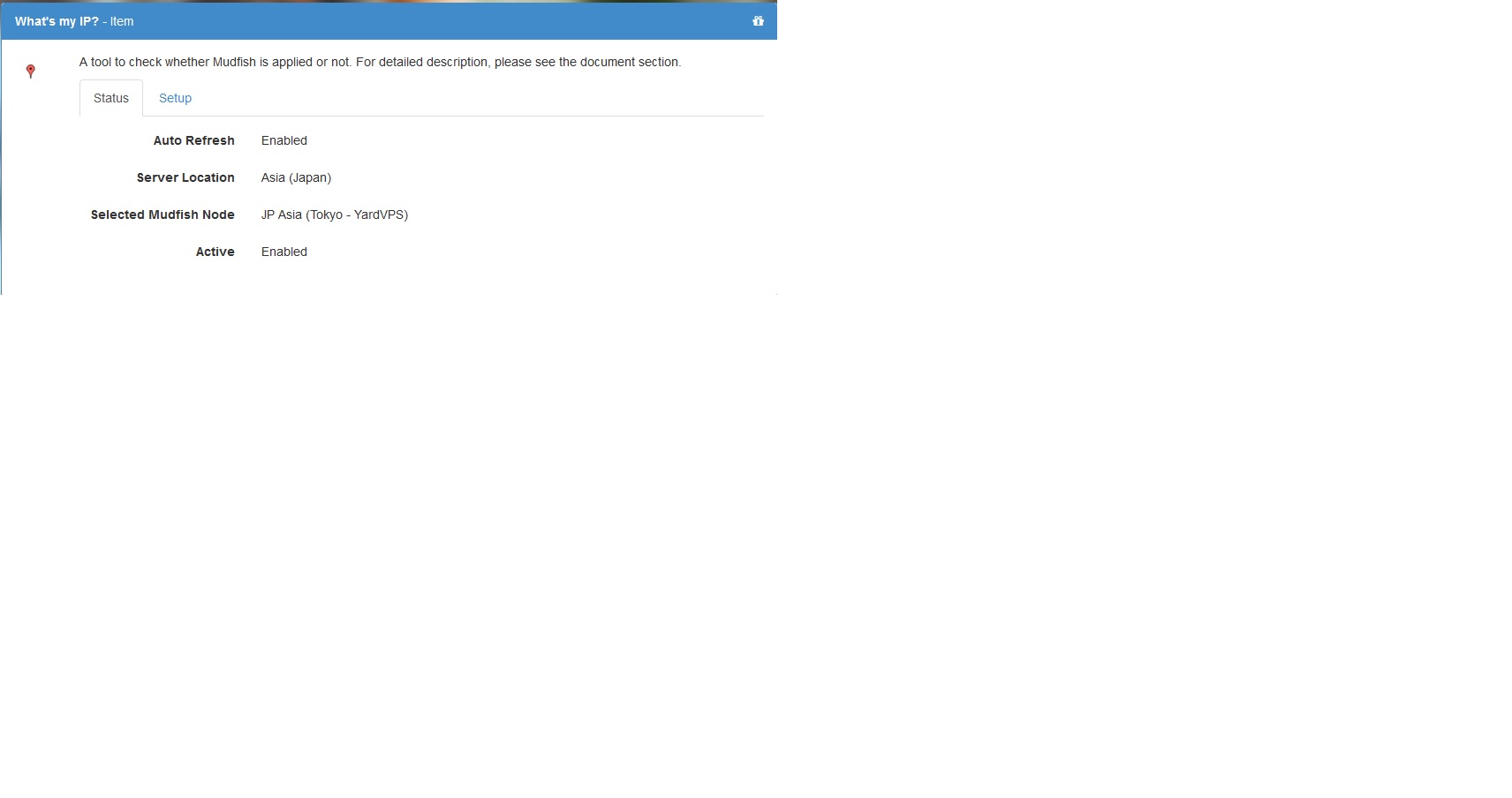
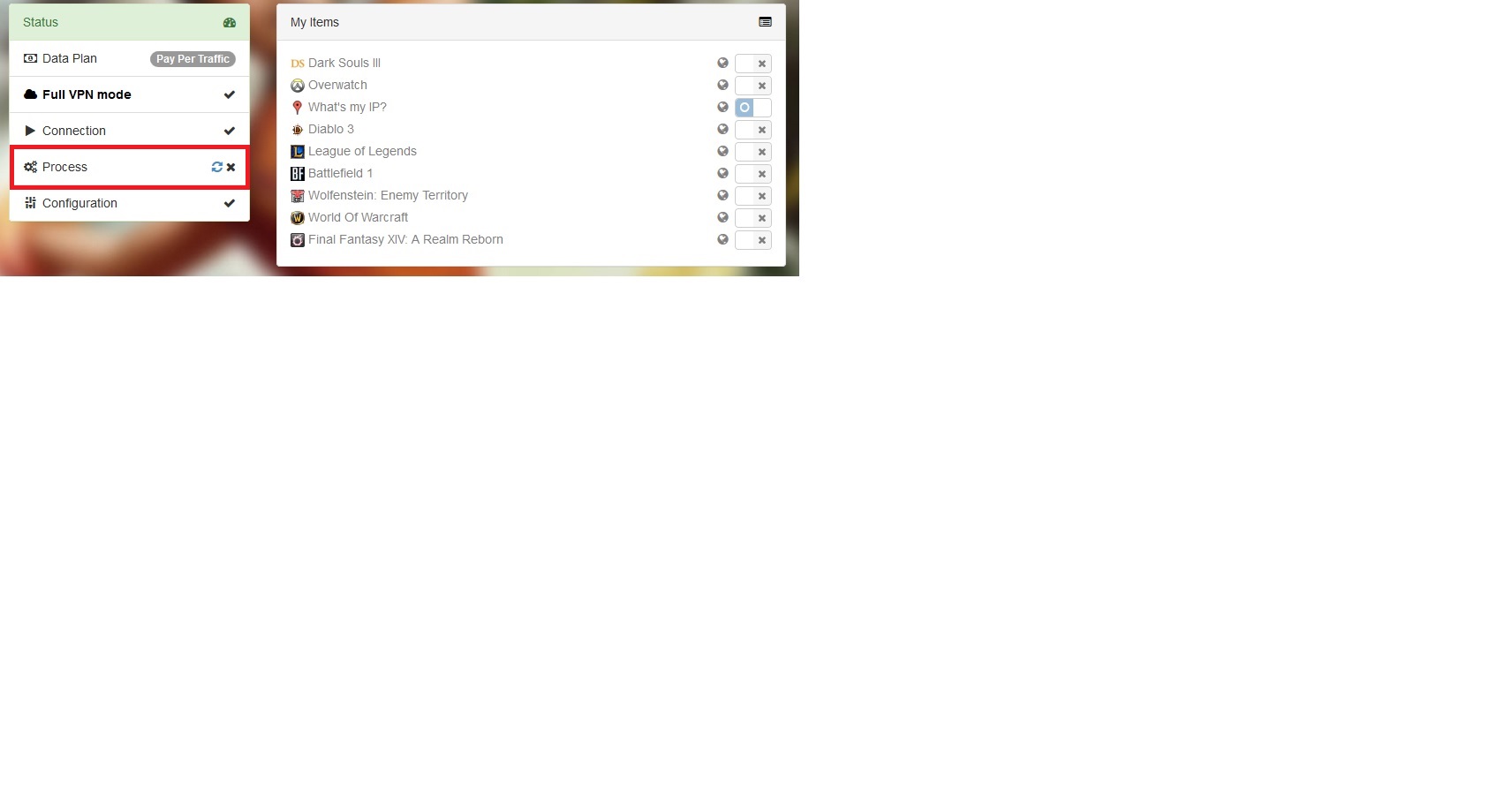
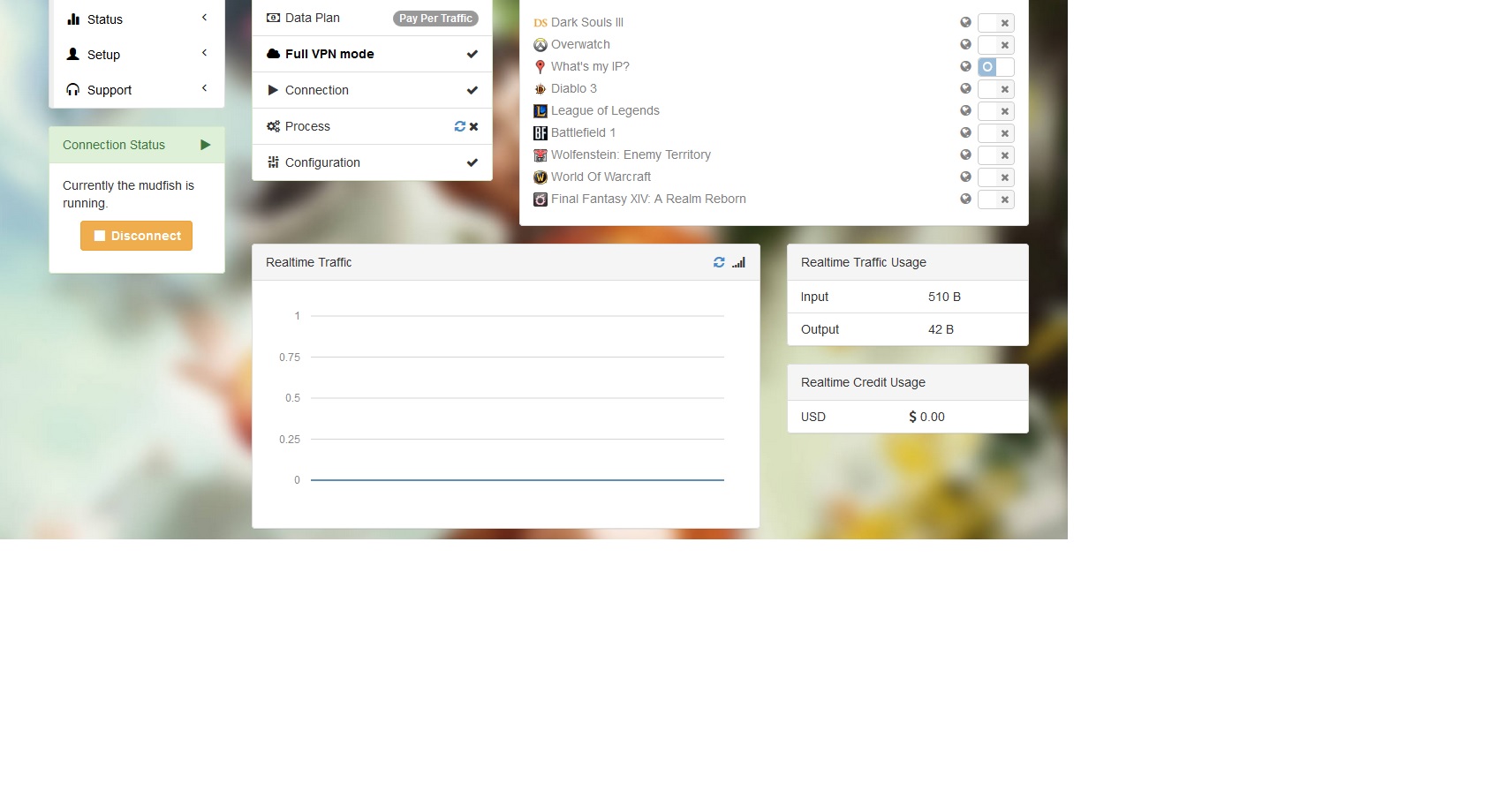
Take a look on second screenshot. Looks like Process is not ok.
-
weongyo
(Forums Admin)
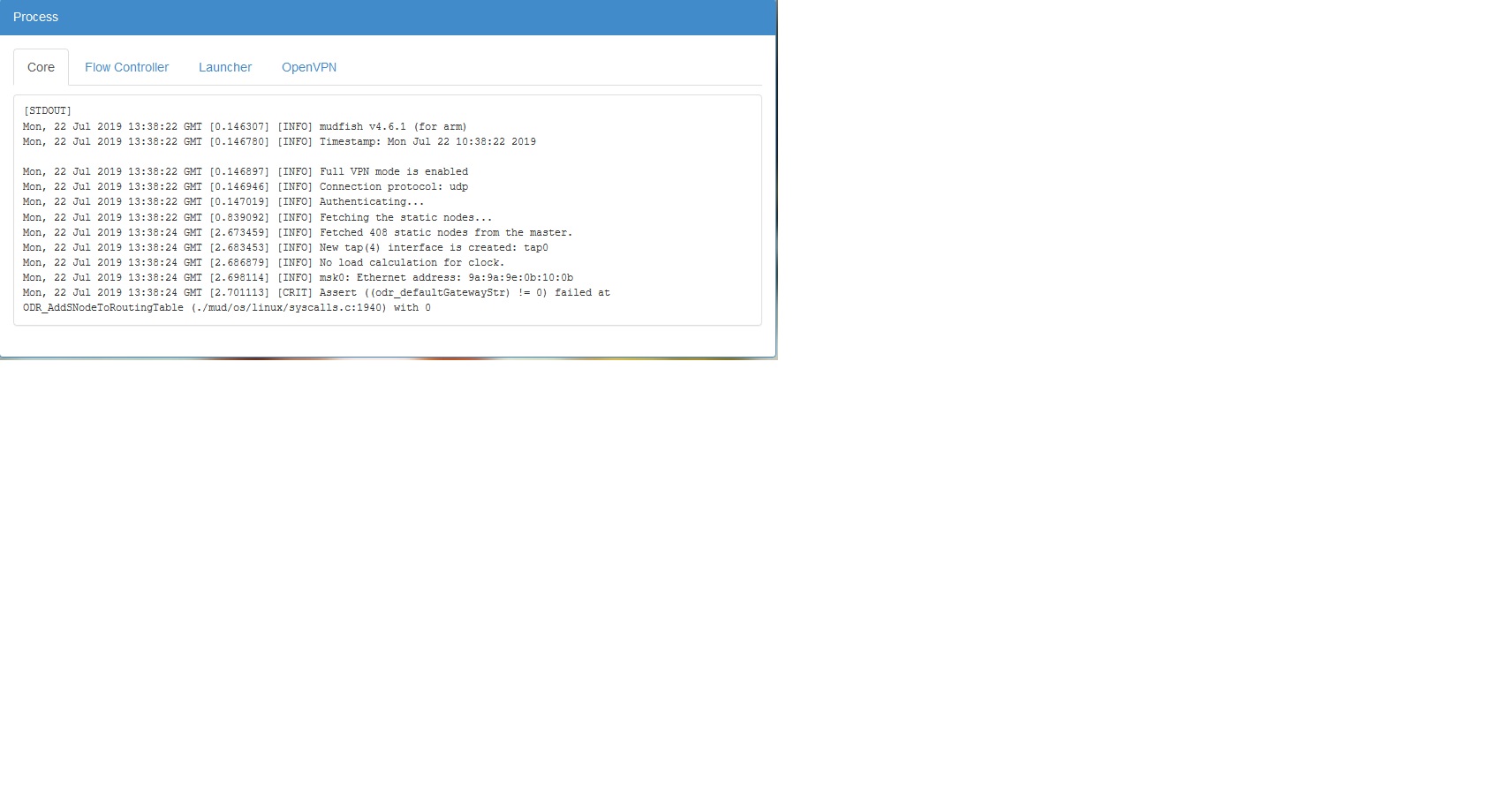
8 year agoCould you please show me full messages of "Core Logs" which found at "Status -> Process" menu?
-
8 year agoSure! Here we go!
This appears again after log in.
Mon, 22 Jul 2019 13:38:24 GMT [2.701301] [CRIT] Assert ((odr_defaultGatewayStr) != 0) failed at ODR_AddSNodeToRoutingTable (./mud/os/linux/syscalls.c:1940) with 0
-
weongyo
(Forums Admin)
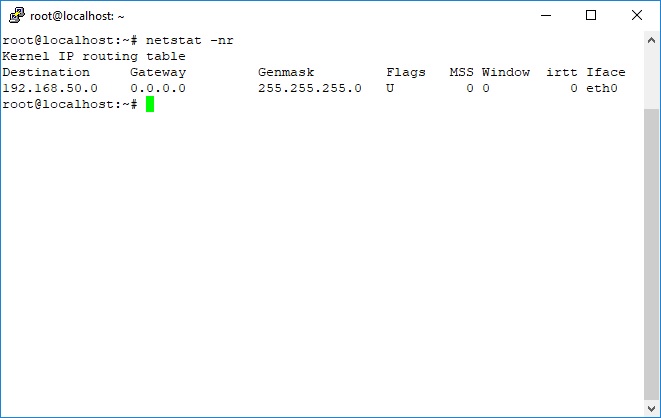
8 year ago:-( No idea why this issue happens without checking more details. Could you please show the result of "netstat -nr" command? Sorry for bothering again.
-
8 year agoHi!
Here you go! It's the same route table before and after run mudfish..
-
weongyo
(Forums Admin)
8 year agoOkay.. As you can see the result of `netstat -nr`, the default gateway isn't existing on your routing table. I'm not sure why you didn't set it but please try to set and test again.
-
8 year agoHi there! I've add a new route default
# route add default gw 192.168.50.1 eth0
# netstat -nr
Kernel IP routing table
Destination Gateway Genmask Flags MSS Window irtt Iface
0.0.0.0 192.168.50.1 0.0.0.0 UG 0 0 0 eth0
192.168.50.0 0.0.0.0 255.255.255.0 U 0 0 0 eth0
And run mudfish again but it's not ok yet
# lynx https://myip.mudfish.net
189.xx.118.xxx
You're accessing directly without Mudfish.
Mudfish isn't working.
Did you set Full VPN mode or equipped 'What's My IP?' item? Without explicit setting, Mudfish doesn't change your public IP at all. Please see the following
document to check whether it's set correctly.
* Check your public IP
Terms Of Service | Privacy Policy | Contact Us | We're hiring!
CEO: Mijung Han , Phone: +82-2-2659-0823, Fax: +82-2-2659-0824, Business License: 105-20-21666
Address: 8F #803, 165, Magokjungang-ro, Gangseo-gu, Seoul, 07788, South Korea
2011-2019 Mudfish Networks
-
weongyo
(Forums Admin)
8 year agoAre you meaning that even after adding the default gateway you still see the same error message? Please attach your core logs if possible because without it it's hard to follow the reason.
-
8 year agoHi there! Here you go!
https://docs.google.com/document/d/1IcIye-h4mVhe51M5yWIRMBqWaVGL89QrDR1bi9Qcl4o/edit?usp=sharing
-
weongyo
(Forums Admin)
8 year agoOkay. When I checked your hours, it seems it becomes better than before. :-) However I need to check little bit more to see whole system. I'm curious that sending Problem Report works fine now. If then please try to send the problem report at that moment after mudfish is executed properly but it seems it doesn't work.
When I checked your log, it seems no fatal issues so I assume the basic functionality works but I need to double check that the routing table is set properly.
-
8 year agoProblem reported successfully on Support -> Problem Report
https://mudfish.net/forums/7/topics/56358
Thanks a lot
-
weongyo
(Forums Admin)
8 year agoOkay. I'll leave my answer at the problem report topic.
8 year ago