Mudfish Forum
Technical Support
 emcbandit
8 year ago
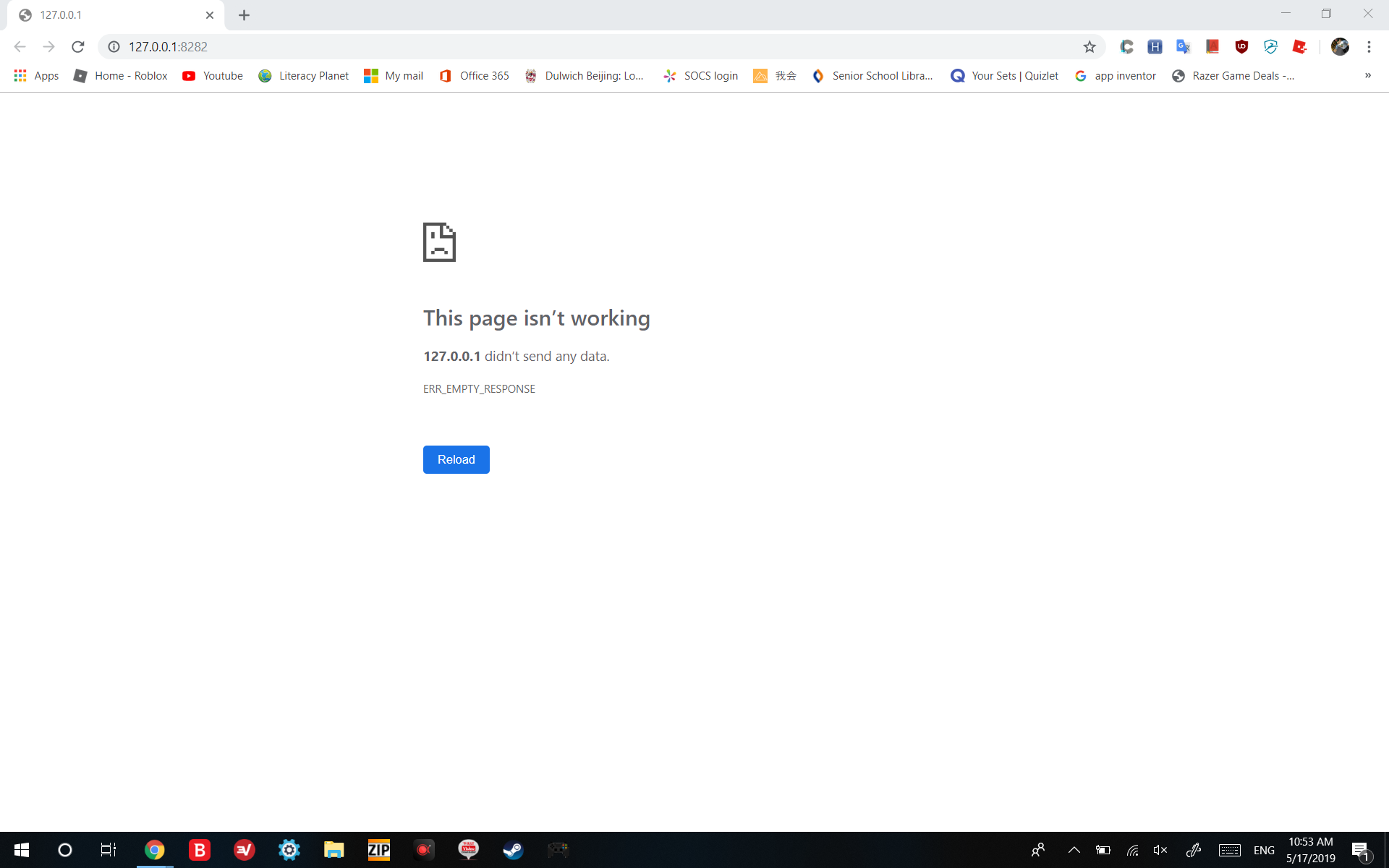
Are there any alternating master servers? Because the http://127.0.0.1:8282 ip is not working for me in school
-
MUDEC_00015 , MUDEC_00016 , MUDEC_00320 Please try to * Run as administrator
* enable Full VPN mode
* change your node
* Advanced mode
* use capital `-O` option to change the Mudfish's working method as refer Firewall - Mudfish Master Server
* reset TCP/IP with netsh
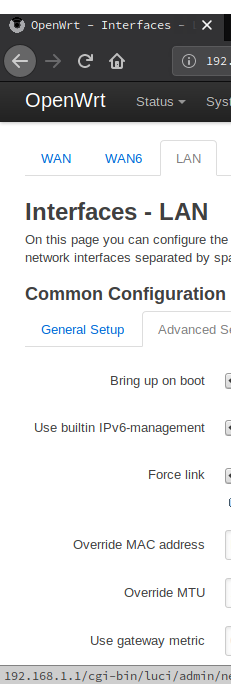
* consider reducing MTU from 1450
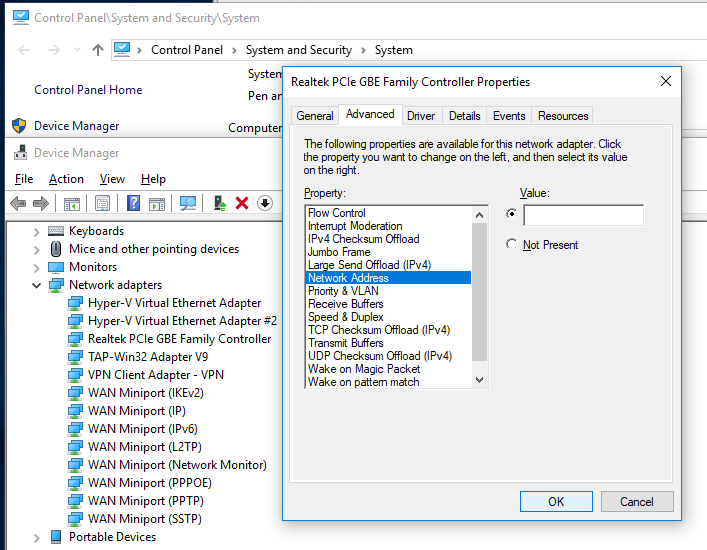
* consider to change MAC Address
-
emcbandit
8 year agoTried all, doesn't work :(

-
8 year agoBut is there any alt to http://127.0.0.1:8282/ ?
-
 kwangseok
8 year agoWhat about `-t` option?
-
8 year agotried
-
8 year agoit does not work
-
kwangseok
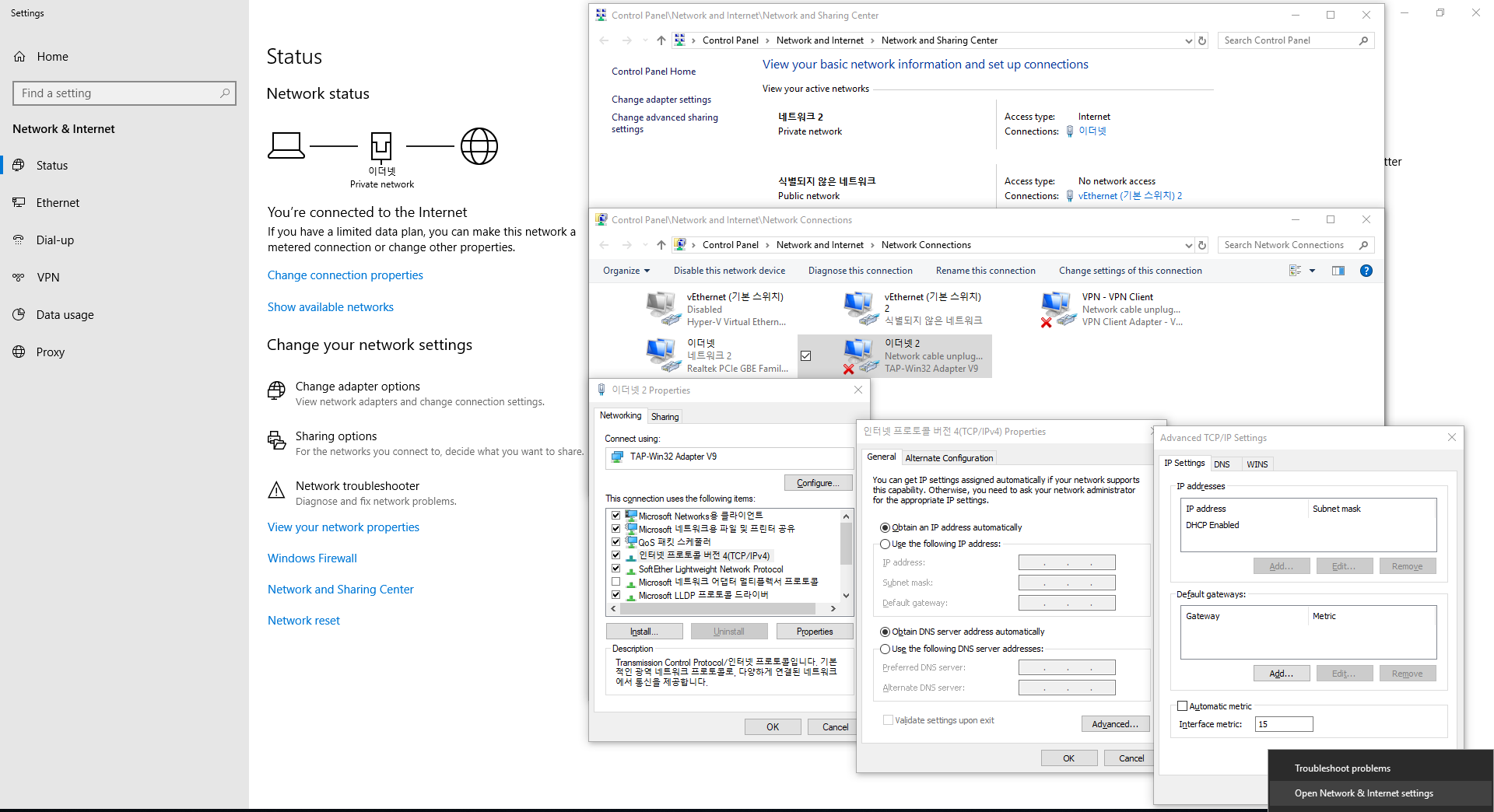
8 year ago* Please try to connect with Mudfish DNS Client If Mudfish DNS Client doesn't work, * gpedit.msc - Local Computer Policy - Computer Configuration - Administrative Template - Network - DNS Client - Turn off smart multi-homed name resolution - Enabled - OK* Control Panel\Network and Internet\Network Connections - TAP-Win32 Adapter V9 - Internet Protocol Version 4(TCP/IPv4) Properties - General - Advanced... - IP Settings - Automatic metric - Interface metric - recommended 15
-
8 year agodns client worked for me!
-
kwangseok
8 year agoConnecting to China is a pretty tricky challenge.
-
8 year agoif i have my computer and a phone connected at the same time on subscription, will each device have 1 mbps or will the 1mbps be shared?
-
8 year agoWhy does the roblox RTT keep on rising up to 3000???
-
8 year agoAfter it reaches 3000, roblox disconnects
-
kwangseok
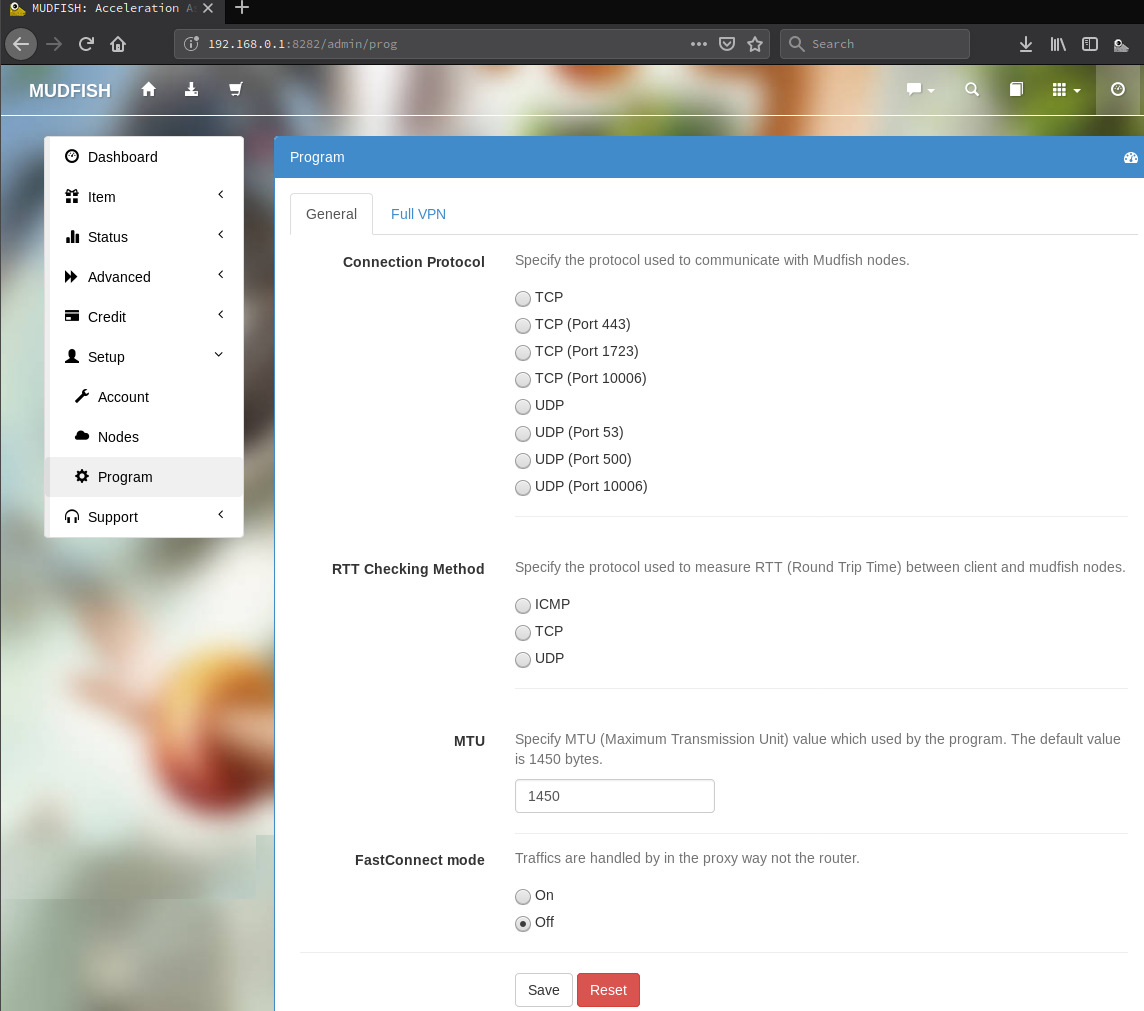
8 year ago* You should make an Alias first. Mudfish cannot run on multi-points concurrently.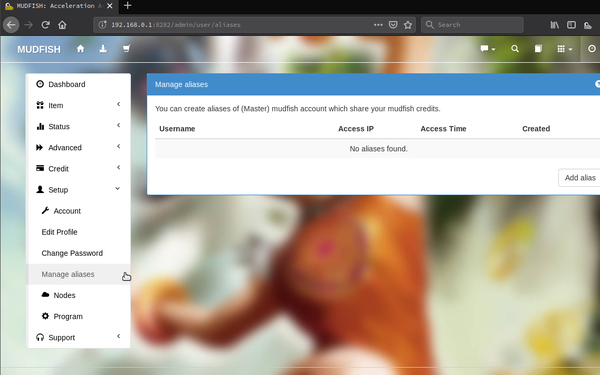 * What about in other Connection
Protocols?
* What about in other Connection
Protocols?
-
8 year agochanging protocol didn't really work, and is there 1mbps per a alias or is it all shared
-
kwangseok
8 year agoPlease try to pick located in Hong Kong or Taiwan.
-
8 year agoI cannot even access http://127.0.0.1:8282/
-
kwangseok
8 year ago* Please try to download and install https://mudfish.net/releases/mudfish-4.5.3-x86_64-win2k-setup.exe then run it with `-s` option then access to https://ui.mudfish.net:8282 * We also have Mudfish Browser Extension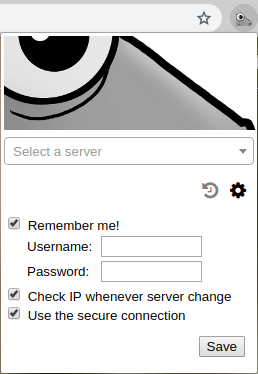 * Or you can try with ungoogled-chromium or Mozilla Firefox
-
8 year agoonly option 1 works, but when I am at home, I have to disable the -S function.
-
kwangseok
8 year agoConnecting to https://ui.mudfish.net:8282 with `-s` is a new feature from Mudfish version 4.5.3 so you should install 4.5.3+, too.
-
8 year agothis new feature saved me :D
-
kwangseok
8 year agoCool! :-) I hope now everything goes well with mudfish. Please let me know if there are any other problems.
-
8 year agoIf i have a main and alias account connected at the same time, will the 1mbps bandwidth be shared?
-
8 year agocan you use he -s feature on mac?
8 year ago